View or Download the BOBS Repository🔗
Organization of the BOBS Repository Data🔗
The data structure and filenaming are organized following BIDS standard:
bobsrepository/
|__ sub-<LABEL>/
|   |__ ses-<AGE>mo/
|       |__ anat/
|           |__sub-<LABEL>_ses-<AGE>_space-INFANTMNIacpc_desc-T1w.nii.gz
|           |__sub-<LABEL>_ses-<AGE>_space-INFANTMNIacpc_desc-T1w.json
|           |__sub-<LABEL>_ses-<AGE>_space-INFANTMNIacpc_desc-T2w.nii.gz
|           |__sub-<LABEL>_ses-<AGE>_space-INFANTMNIacpc_desc-T2w.json
|           |__sub-<LABEL>_ses-<AGE>_space-INFANTMNIacpc_desc-aseg_dseg.nii.gz
|           |__sub-<LABEL>_ses-<AGE>_space-INFANTMNIacpc_desc-aseg_dseg.json
|
|__ phenotype/
|   |__ sessions.json
|   |__ sessions.tsv
|
|__ dataset_description.json
|__ dseg.tsv
|__ README.md
|__ index.html #.bigsignore
|__ V1.0.zip #.bigsignore
Subject & Phenotypic Data🔗
The BIDS directory contains subject folders named by subject ID, which contain session folder named by the age at which the MRI images were acquired (e.g. ses-1mo means that the data was acquired at 1 month old chronological age). Each session folder contains the T1w and T2w image files and accompanying segmentation files under the anat/ subdirectory. The repository also contains a phenotype/ folder containing a global sessions.tsv file with a list of subject IDs and sessions as well as phenotypic information such as sex assigned and gestational age at birth (with full field descriptions available in sessions.json).
Additional BIDS Standard Files🔗
Additional BIDS standard files in the repository include README.md and dataset_description.json, providing a brief description of the repository and dataset. The repository also contains dseg.tsv, which contains the FreeSurfer label descriptions (including the label numbers and default colors when visualized for each segmented brain region).
Additional Files (non-BIDS standard)🔗
Finally, the repository contains a few files (e.g. index.html and V1.0.zip) that are not part of BIDS standard, but are included for ease of access and download. These are included in a .bidsignore file also included in the repository in order to pass BIDS validation. The index.html file is a webpage that provides a list of all the files in the repository and links to download individual files. The V1.0.zip file is a zipped version of the entire repository. As new versions become available, older versions will continue to be accessible via the zip file.
How to Download🔗
There are several options for exploring and downloading the BOBS Repository data, including:
Amazon AWS: Visit the public Amazon AWS S3 bucket to explore and download individual files or the entire repository. The bucket is located at bobsrepository.
OpenNeuro: The repository is available via OpenNeuro on the repository page here. See instructions for how to download data from OpenNeuro under the Download tab.
Open-Source Clients: The repository is also accessible via open-source clients such as Cyberduck.
Viewing the data on BrainBox🔗
If you wish to simply view the brain segmentations overlaid on their associated T1w and T2w images, we have created repositories on BrainBox for each of the age bins located here:
BOBsRepository1mo
BOBsRepository2mo
BOBsRepository3mo
BOBsRepository4mo
BOBsRepository5mo
BOBsRepository6mo
BOBsRepository7mo
BOBsRepository8mo
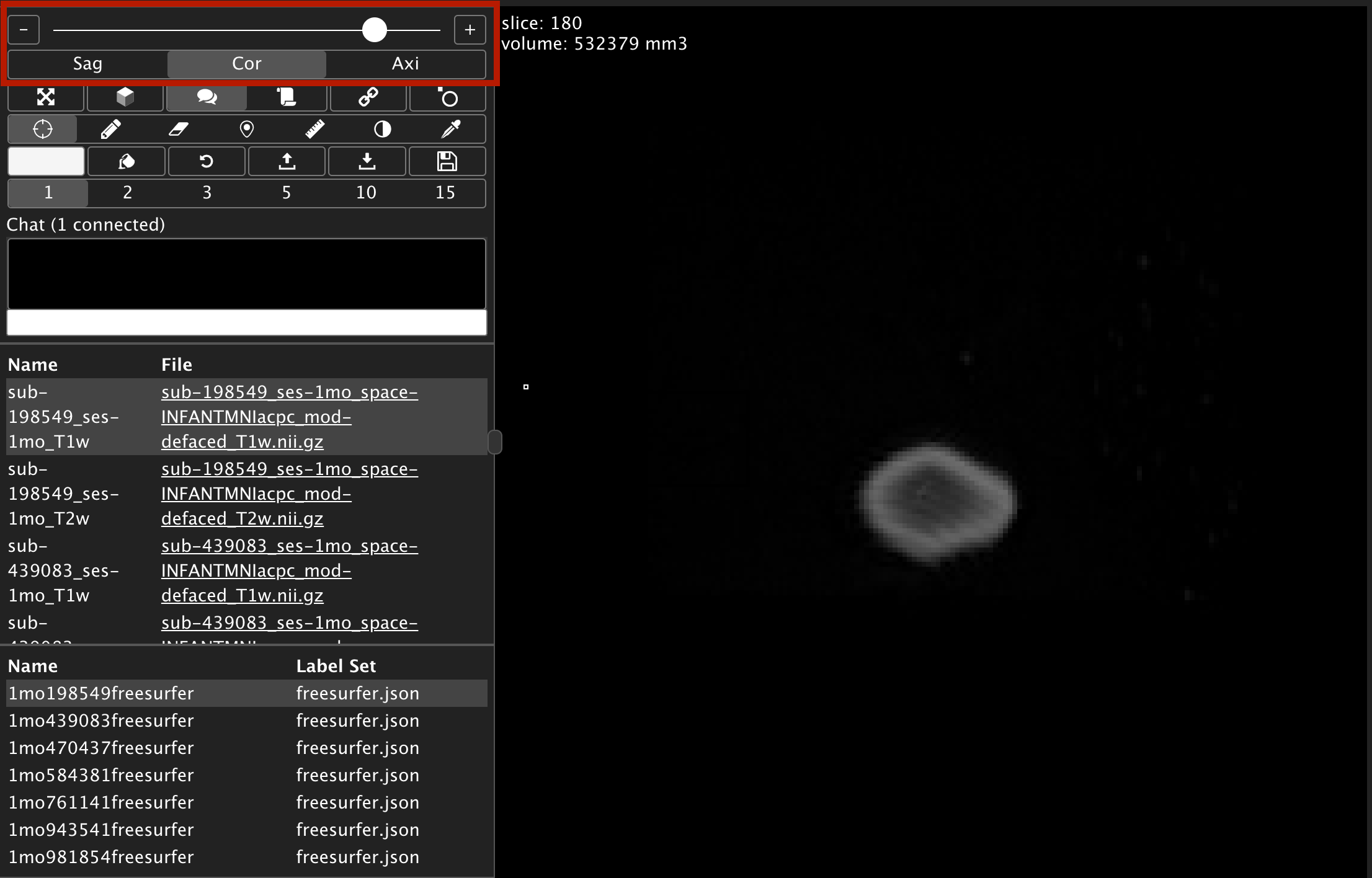
The link will direct you to the first subject in the repository. To scroll, use the bar at the top left.

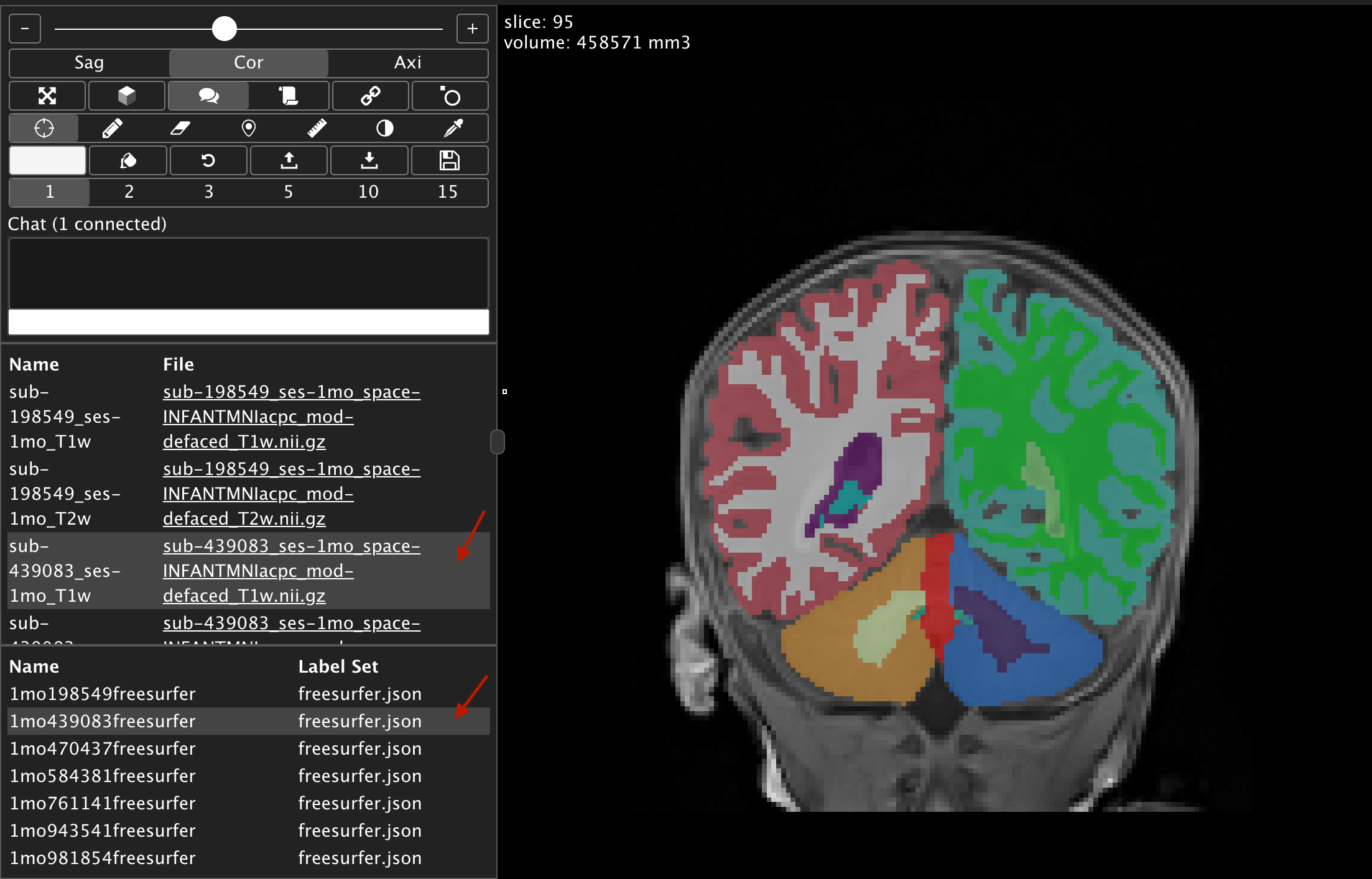
After selecting another subject's anatomical image to view, remember to also select the label set json with the matching subject ID to see the segmentation overlay. To select another subject to open in a new window, click the full file name, otherwise just click the space to the right of the file name to just change the subject within the frame (see arrows below).